

Welcome to DEFT
A quick, easy and secure way to make payments


Pay with PayID
You can pay using PayID. Find out more at deft.com.au/payid. First time paying your bill? Visit our PayID Portal to get your PayID for DEFT.

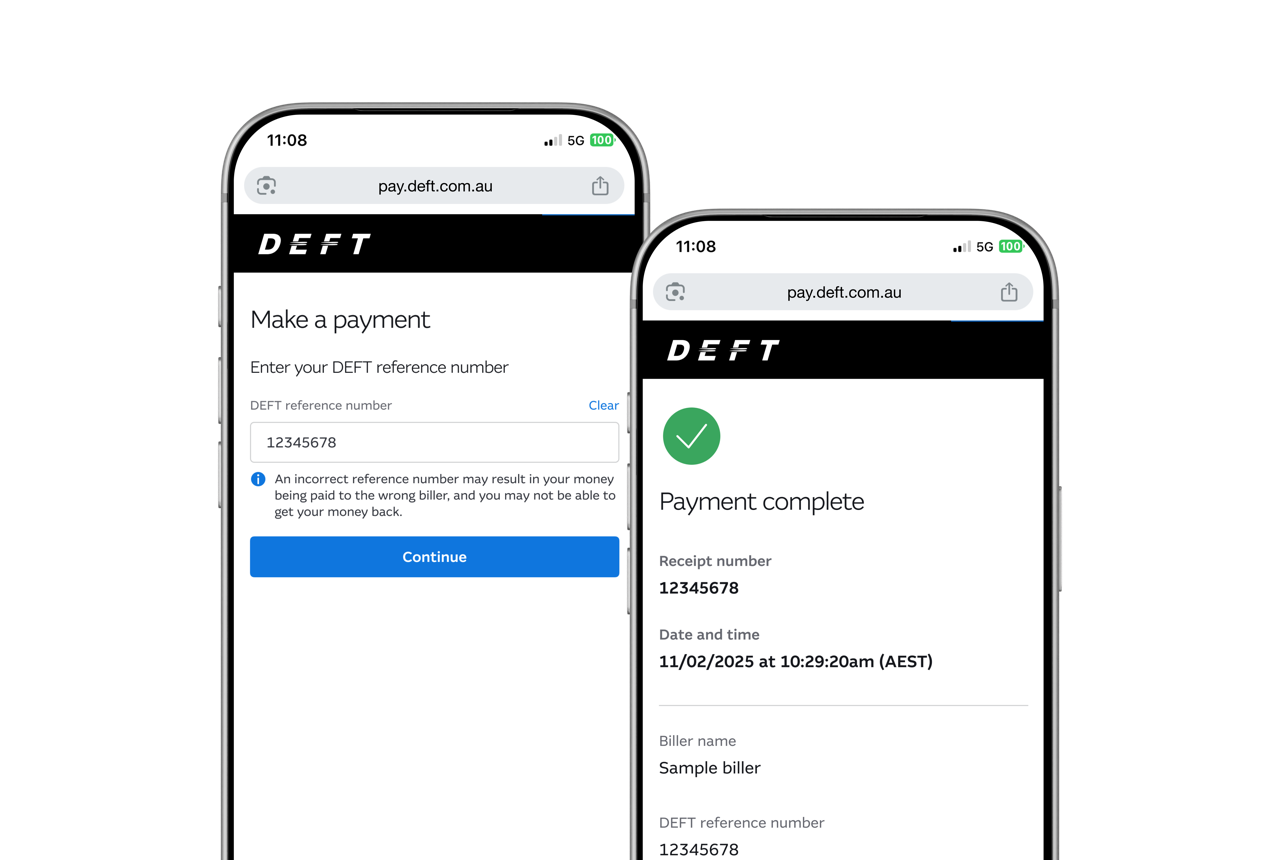
How to pay
To get started, ask your biller for your DEFT reference number. You can usually find this:
- Find your DEFT reference number. Your DEFT reference number is typically located at the bottom of your levy notice, tenancy agreement, rental instructions, or invoice.
For more information: What is my DEFT reference number? - Paying with PayID? Once you have located your DEFT reference number, you can use it to pay instantly using your existing banking app or internet banking.
For more information: Pay with PayID on DEFT
Get your PayID now: PayID Portal

BPAY®
Ask your biller for a BPAY Biller Code. Use your DEFT reference number as the BPAY Customer Reference Number.
Make BPAY payments from your preferred bank account.

Australia Post
If you have a need to pay in person, ask your biller for a Post Billpay barcode.
Present your barcode at Australia Post to pay by eftpos or cheque.
Top tips to keep you safe when using DEFT:
If your biller provides updated payment details by email, it’s important to get verbal confirmation the request is genuine before making payments to the new details.
Always pay directly via one of the methods outlined on this page.
Never make payments to third parties who may offer you a discount on your bill.